 Meet Embasis
Your personal,
private secretary.
For the day ahead, the words you need,
and the details worth keeping.
iPhone available now · Mac in development
Intelligence with a place
in your day.
You have a meeting in twenty minutes, a message you haven’t found the words for, and a note you know you saved somewhere. None of it needs to be a grand project. Sometimes you just want a little help getting on with things.
That is the idea behind Embasis. A warm, practical secretary on your own device: somewhere to think aloud, work through a plan, find information, and turn a rough thought into something useful. It brings conversation together with native tools for the things you actually do.
We believe useful AI starts here—with everyday tasks, personal context you choose to share, and help that leaves you in charge.
A plan is better when
you can get there.
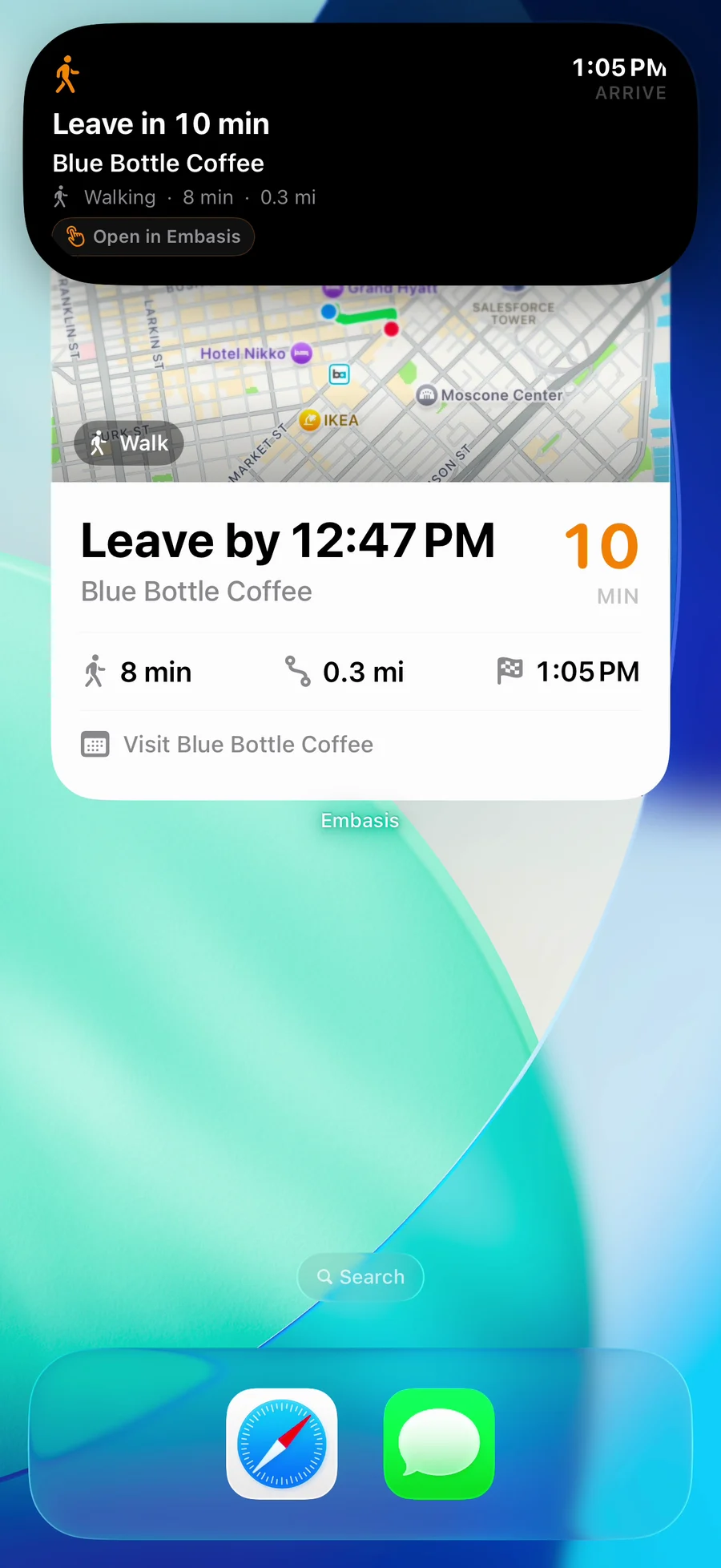
“Coffee at one” is only part of the plan. There is also the walk, the traffic, and the moment you need to close the laptop.
Embasis brings calendar and reminder tools together with Smart ETA. For supported plans with a destination, route estimates help work out when to leave. On iPhone, a Live Activity can keep that departure countdown on the Lock Screen.
Use it to check your day, work through a schedule, or turn a plan into a calendar event or reminder with the app’s tools. Your schedule stays something you can open and adjust.
Smart ETA uses Apple Maps services and the calendar, location, and notification permissions you choose to grant.
For where you’re going.
And how you’re doing.
Places gives the ideas beyond your desk somewhere to land. Look for somewhere nearby, gather possibilities for a trip, and develop an itinerary you can save and revisit. A plan becomes easier to work with when the places, days, and next steps are together.
Health brings another part of your day into view. With your permission, the iPhone app can read available Apple Health activity, sleep, and workout records and present them in one place. It is a way to reflect on your routines, not a diagnosis or a substitute for medical care. This Apple Health integration is an iPhone feature.
A briefing to settle into.
A search when you need more.
Some mornings call for a little orientation before another stream of tabs. Briefing gathers material around your chosen topics and uses the selected model to help turn it into a readable edition.
When a question needs current information, web search can bring outside sources into the conversation. Follow the links, compare what they say, and keep the original source close to any important decision.
Choose your topics, fetch the sources, and make time for a fresh edition. Briefing generates while the app and model are available, with online services providing the current material.
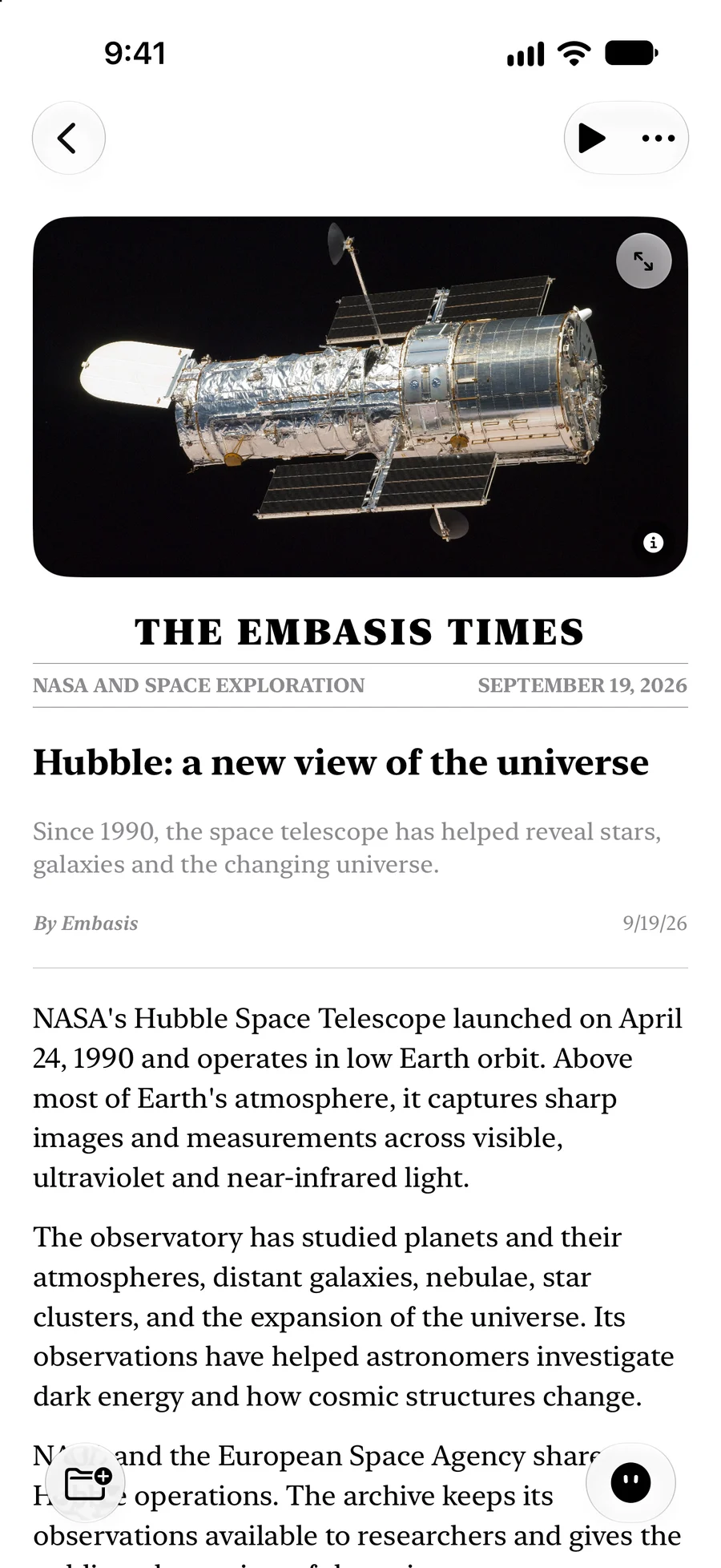
Keep the things
you want to come back to.
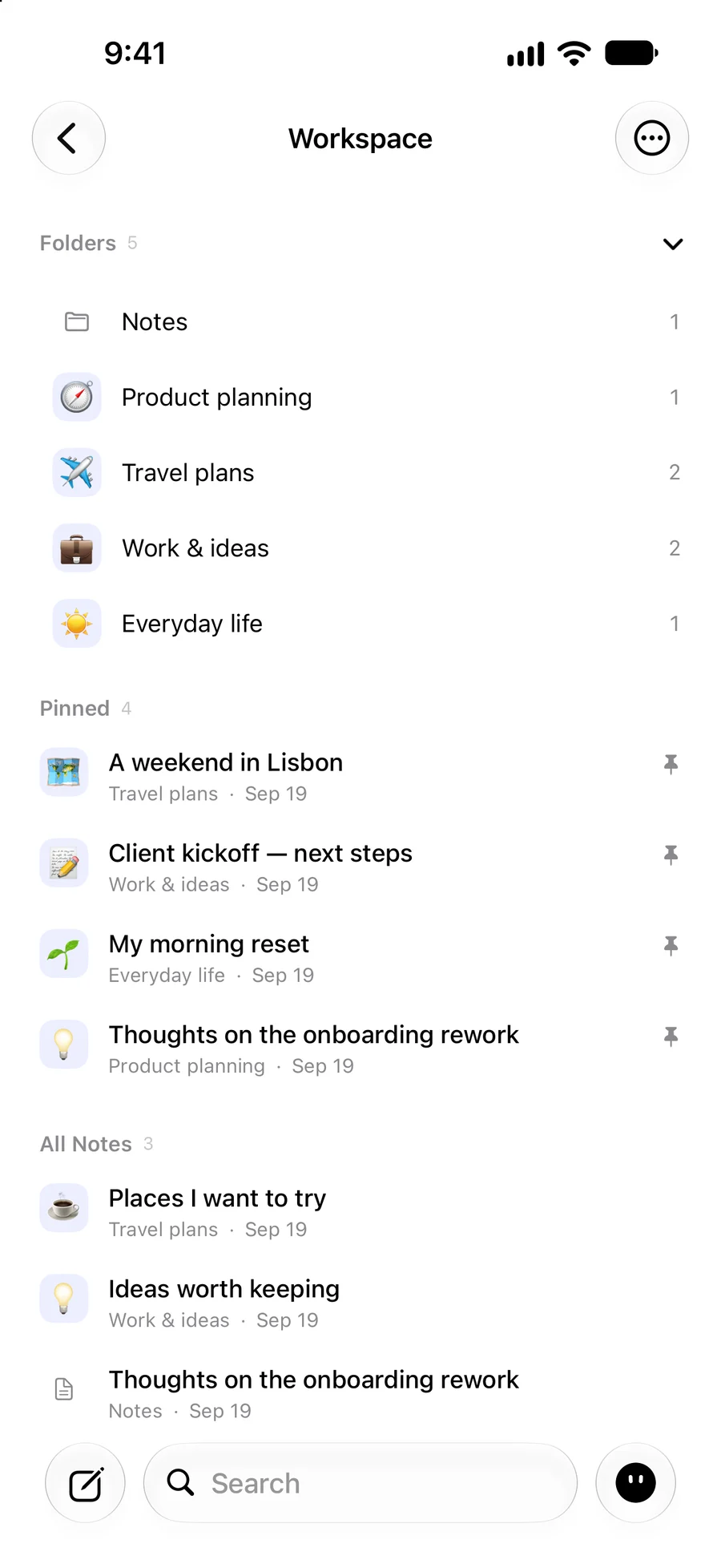
A useful secretary has somewhere to put things. In Embasis, notes, documents, and saved meeting transcripts give your work a home. Return to a workspace when you want to pick up a thread, rather than begin with a blank page.
Memory you can see and change.
We’re extending personal recall across saved facts, notes, meetings, and relevant past conversations. The current development builds include controls to review, edit, or forget saved memories, plus an optional map of shared wording. Those connections are an aid to browsing—not invented relationships between people or events.
An optional text embedding model helps find relevant local passages by representing their wording and meaning as numbers that can be compared. It retrieves context for the answering model; it does not train a new personal language model from your notes.
The meeting ends.
The useful part stays.
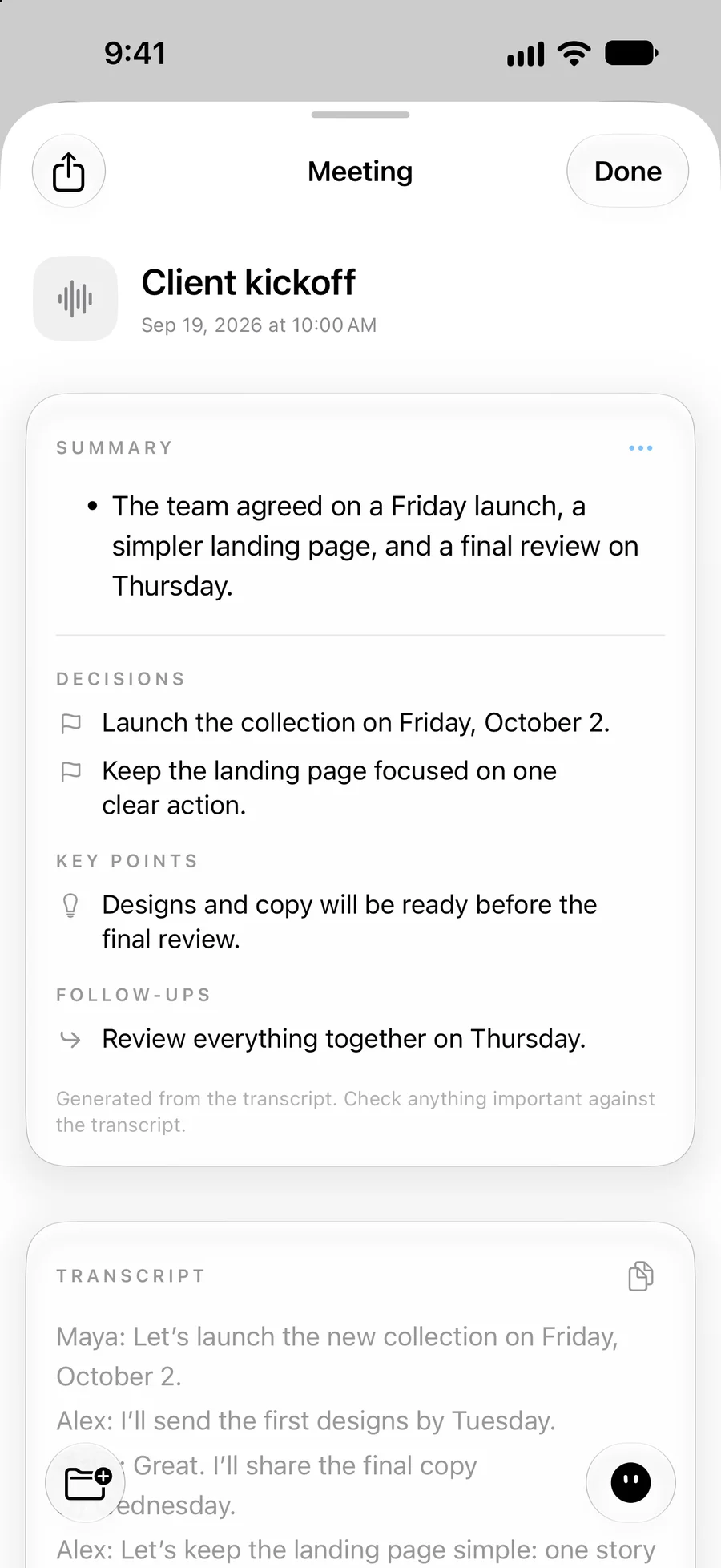
A good conversation moves faster than your notes. Meeting mode captures a transcript, then helps you revisit the summary, decisions, and follow-ups. Ask about the discussion or return to the words themselves when you need the detail.
Instead of reconstructing the discussion from scattered fragments, start with one place to review what happened. Keep the transcript beside the summary, and carry the useful parts into your next draft or plan.
Record with the consent you need. Improved speaker labels are in development; natural meeting accuracy is still being evaluated.
Start with the rough version.
“Help me say this more clearly.” A reply to a colleague. The opening of a proposal. A few thoughts that need an order. Writing gives you a place to draft, revise, and keep working with the result.
Or use your voice when speaking feels easier than typing, with spoken replies on supported setups. Model and voice choices let you find a balance that suits your device. Shape the result until it sounds like you.
Voice features vary by model, language, and device; some voices and models need a download before use.
The model lives
closer to you.
Embasis is built around local language models: the model’s computation runs on your device, rather than requiring a hosted AI request for every reply. After setup, supported local conversations and writing can work without a connection.
The language model is the part that generates answers and helps with writing. Speech recognition turns spoken input into text, while a voice system reads a reply aloud; some supported models can also understand audio directly. These are distinct jobs, with their own language support and download requirements.
That choice comes with real tradeoffs. A smaller model asks less of storage and memory, but may struggle with a complicated instruction. A larger model can offer more depth while taking more space and time. Battery, heat, and available memory matter, too. Embasis offers compatible choices rather than pretending one model is right for every phone.
Current development builds bring together models from the LFM and Gemma families, with Apple’s on-device model where supported. The setup recommends a compatible starting point; advanced choices remain available. Choose the balance that works for the kind of help you want.
Local intelligence. Your control.
Local inference and connected features have different boundaries. Downloads, web search, news, maps, and weather use external services. Speech depends on device and language support: the iPhone fallback may use Apple’s speech service when local recognition is unavailable. Any optional cloud mode has its own processing boundary. You choose features and grant permissions.
Compact models can make mistakes, including confusing whose preference a memory describes, missing a qualification, or claiming an action succeeded. Check important answers against their sources and confirm actions in the saved event or reminder. Review meeting summaries and drafts before sharing them. Embasis does not independently send your writing or keep generating work while the app is closed.
Read the Embasis privacy policySame idea.
A different room.
The phone goes with you. The Mac is where you can spread things out. We’re building a native Mac home for conversation, writing, meetings, memories, and the day’s plans—with room for the work beside the answer.
This is an active development project, not a released Mac download. On compatible Macs, more available memory can make room for larger model choices. That changes what can fit on the machine; it is not a promise that every answer will be better or faster. Features and hardware requirements are still evolving, and iPhone and Mac do not yet have identical capabilities.
Hi
A few helpful ideas
Interactive website illustration with scripted replies and sample data. No live model, calendar access, or real actions. It does not represent the final Mac app.
Personal intelligence
should feel personal.
We believe the computer you already own should be able to help with more of your everyday life. Much of that help is ordinary: explaining something, finding information, organizing thoughts, or getting a piece of writing into shape.
That starting point is reflected in research. An OpenAI and NBER study of consumer ChatGPT use found practical guidance, information seeking, and writing made up most conversations. It describes one platform’s users; it does not establish that a small local model can do everything a larger one can. But it gives us a useful product question: how much everyday help can we bring closer to the person using it?
A different cost structure.
When a reply is generated by a model on your device, that inference does not incur a per-request hosted-model charge. That gives an independent app a different foundation for repeated, everyday use. It still costs something to build and maintain the app, and your device supplies the storage, memory, and electricity. Connected services have costs too. Local inference is an architectural choice, not a guarantee about future pricing.
Use the hardware already at hand.
AI’s growing demand on infrastructure deserves attention. The IEA documents rising data-centre electricity demand. We choose to explore an approach in which more everyday model computation happens on a device you already own, with less dependence on hosted inference for those tasks.
That is a direction worth investigating, not an environmental result we have proved. Devices, model training, downloads, and connected services all have footprints; we have not measured Embasis’s energy, water, or carbon impact against cloud alternatives.
The ambition is thoughtful help, close at hand. Something that makes room for your attention, respects your choices, and earns its place in your day.
Make a little room.
Explore Embasis on the App StoreCheck the App Store for current iPhone availability, pricing, and requirements.
Development previews on this page may differ from the released version.